



Results for 3d diy printer

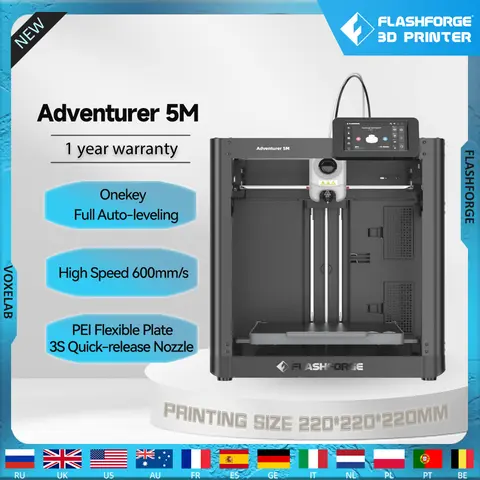
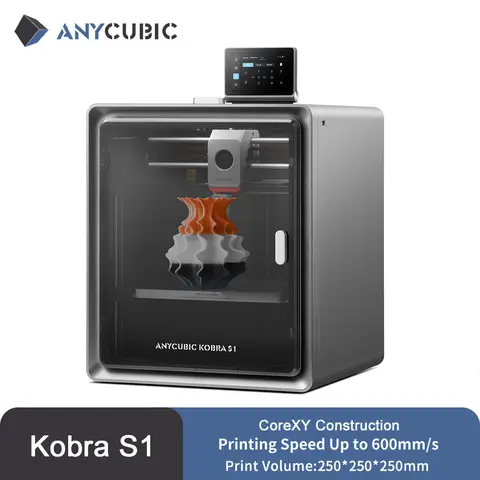
3D DIY Printer is a versatile and increasingly popular category of consumer-grade 3D printing technology, enabling users to design, customize, and physically produce objects at home. Whether you're a hobbyist, educator, or aspiring inventor, the 3D DIY printer market offers tools that balance affordability, performance, and ease of use—especially when paired with compatible accessories and filaments.
The search intent behind “3d diy printer” typically reflects a user seeking an accessible, hands-on entry point into additive manufacturing. This includes individuals looking to build, customize, or repair 3D-printed models, often for creative, educational, or functional purposes. The keyword suggests interest in open-source designs, modular components, and user-friendly assembly, which aligns with the growing DIY culture in tech and maker communities.
3D DIY Printer
A desktop 3D printer designed for personal, non-commercial use, allowing users to assemble and operate the device themselves. It typically includes a frame, print bed, extruder, and control board, often sold as a kit requiring manual assembly.
PLA Filament
Polylactic acid (PLA) is a biodegradable thermoplastic derived from renewable resources like cornstarch. It’s ideal for beginners due to its low printing temperature (180–220°C), minimal warping, and low odor.
Heated Build Surface
A heated platform that helps prevent warping and improves adhesion of printed parts, especially important for larger or more complex prints.

For optimal results, consider the following setup steps:
  1. Choose a printer with a proven build quality—such as the FYSETC Voron V0.2 Pro R1, which features a CoreXY motion system and CNC-machined parts for precision and durability.
  2. Ensure compatibility with your filament type—the 3D Printing Pen D7 supports 1.75mm PLA, a common choice for beginners due to its ease of use and safety.
  3. Upgrade key components—like the magnetic build surface plate (235×235mm), which simplifies print removal and enhances print quality on models like the Ender-3 series.
  4. Verify CE certification—especially for printers like the FYSETC Voron, which ensures compliance with European safety standards.
  5. Use a stable power supply and proper ventilation—3D printing generates heat and fumes; proper airflow prevents overheating and ensures safe operation.

Users should also consider the age suitability and assembly complexity. While some kits like the D7 Printing Pen are designed for teens (14+), full 3D printer kits require more technical skill and patience. Always check shipping origin—products from Germany, France, or Spain often offer faster delivery and better customer service.
In summary, a successful 3D DIY printing experience hinges on selecting a reliable printer, using quality materials, and investing in essential accessories. Whether you're crafting gifts, prototypes, or educational tools, the right combination of hardware and knowledge turns imagination into reality.

3D DIY Printer Kit with Build Surface - AliExpress

Unlock Your Creativity with the Best 3D DIY Printers for Every Skill Level


Whether you're a beginner exploring 3D printing for the first time or an experienced hobbyist building custom models, a 3D DIY printer offers unmatched flexibility, learning value, and creative freedom. From compact desktop kits for kids to advanced modular systems for professionals, the right 3D DIY printer empowers you to turn digital designs into real-world objects—perfect for STEM education, prototyping, gifts, and personal projects. This guide explores top-rated 3D DIY printers, compares key features, and walks you through setting up your first print with confidence.

Understanding the 3D DIY Printer Experience


A 3D DIY printer refers to a 3D printing system designed for users to assemble, customize, and operate themselves—offering deeper insight into how 3D printing works. Unlike pre-assembled printers, DIY models encourage hands-on learning, troubleshooting, and personalization. These printers are ideal for educators, makers, and tech enthusiasts who value control over performance, cost, and design.
3D Printing
The process of creating a three-dimensional object by layering material (usually plastic filament) based on a digital model. It's widely used in prototyping, manufacturing, and hobbyist projects.

DIY (Do-It-Yourself)
A hands-on approach where users build, modify, or repair products themselves. In 3D printing, this means assembling the printer from parts rather than buying a fully assembled unit.

PLA Filament
A biodegradable thermoplastic derived from renewable resources like cornstarch. It's easy to print with, low odor, and ideal for beginners and kids.

Top 3D DIY Printers for 2024: Features, Comparisons & Recommendations


Below is a detailed comparison of three standout 3D DIY printers available on AliExpress, each suited for different use cases—from beginner-friendly tools to high-performance kits.
Product Best For Key Features Build Volume Price Range (USD) Shipping Origin
3D Printing Pen D7 with LCD & Temperature Control Kids & beginners 1.75mm PLA filament, LCD screen, temperature control, super slim design Not applicable (pen-style) $25–$35 Germany, France, Spain
Creality Ender-3 Upgrade Magnetic Build Surface Printer enhancement 235×235mm magnetic plate, easy print removal, compatible with Ender-3 series Not applicable (accessory) $10–$15 Mainland China
FYSETC Voron V0.2 Pro R1 CoreXY Kit Advanced users & professionals CoreXY motion system, enclosed panels, CNC-machined parts, CE certified 200×200×200 mm $200–$300 France

Real-World Use Case: Setting Up Your First 3D Print


Answer: To successfully print your first model with a 3D DIY printer, follow these steps:
1. Assemble the printer frame and install key components.
2. Calibrate the bed leveling and nozzle height.
3. Load PLA filament and heat the nozzle to 200–220°C.
4. Transfer your 3D model via SD card or USB.
5. Start the print and monitor the first few layers.

Step-by-Step Setup Guide for a Beginner-Friendly 3D DIY Printer


  1. Unbox and Identify Parts – Check the included components: frame, stepper motors, power supply, control board, and mounting hardware. Use the provided manual to match each part.
  2. Assemble the Frame – Follow the step-by-step instructions to attach the vertical supports, X and Y axes, and print bed. Use the included Allen wrenches and tighten all screws securely.
  3. Install the Electronics – Connect the stepper drivers, power supply, and control board. Ensure all cables are routed neatly to avoid interference.
  4. Calibrate the Bed Level – Use the manual leveling screws or automatic leveling (if available). Place a sheet of paper under the nozzle; it should slide with slight resistance.
  5. Load Filament – Heat the nozzle to 200°C, insert the PLA filament, and wait for it to extrude smoothly. Avoid overloading the feeder.
  6. Start Your First Print – Choose a simple model (like a cube or keychain) from Thingiverse or Printables. Load it via SD card, and press “Start” on the control panel.
  7. Monitor the First Layers – Watch the first 10–15 minutes closely. If the print lifts or doesn’t stick, adjust the bed level or check the nozzle height.

Pro Tips to Avoid Common 3D Printing Pitfalls


- Use the Right Filament: PLA is best for beginners. Avoid ABS unless you have proper ventilation and a heated bed.
- Check for Loose Belts: A loose belt can cause layer shifting. Tighten it just enough to eliminate slack.
- Clean the Nozzle Regularly: Use a brass brush or a cold pull to remove debris and prevent clogs.
- Enable Cooling Fans: For overhangs and fine details, turn on the cooling fan at 50–100% speed.
- Update Firmware: Regularly check for firmware updates to improve stability and add new features.

Final Thoughts: Choosing the Right 3D DIY Printer for You


Whether you're gifting a 3D printing pen to a child, upgrading your Ender-3 with a magnetic build plate, or building a high-precision FYSETC Voron V0.2 Pro from scratch, the world of 3D DIY printing offers something for everyone. The key is matching your skill level, budget, and project goals with the right tool. For beginners, start with a simple pen or kit. For advanced users, invest in modular, CE-certified systems with CNC parts for precision and durability. With the right setup and a little patience, your 3D DIY printer can become a gateway to endless innovation.

Aliexpress